BOQ software
BOQ software that stays tied to the PDF plan.
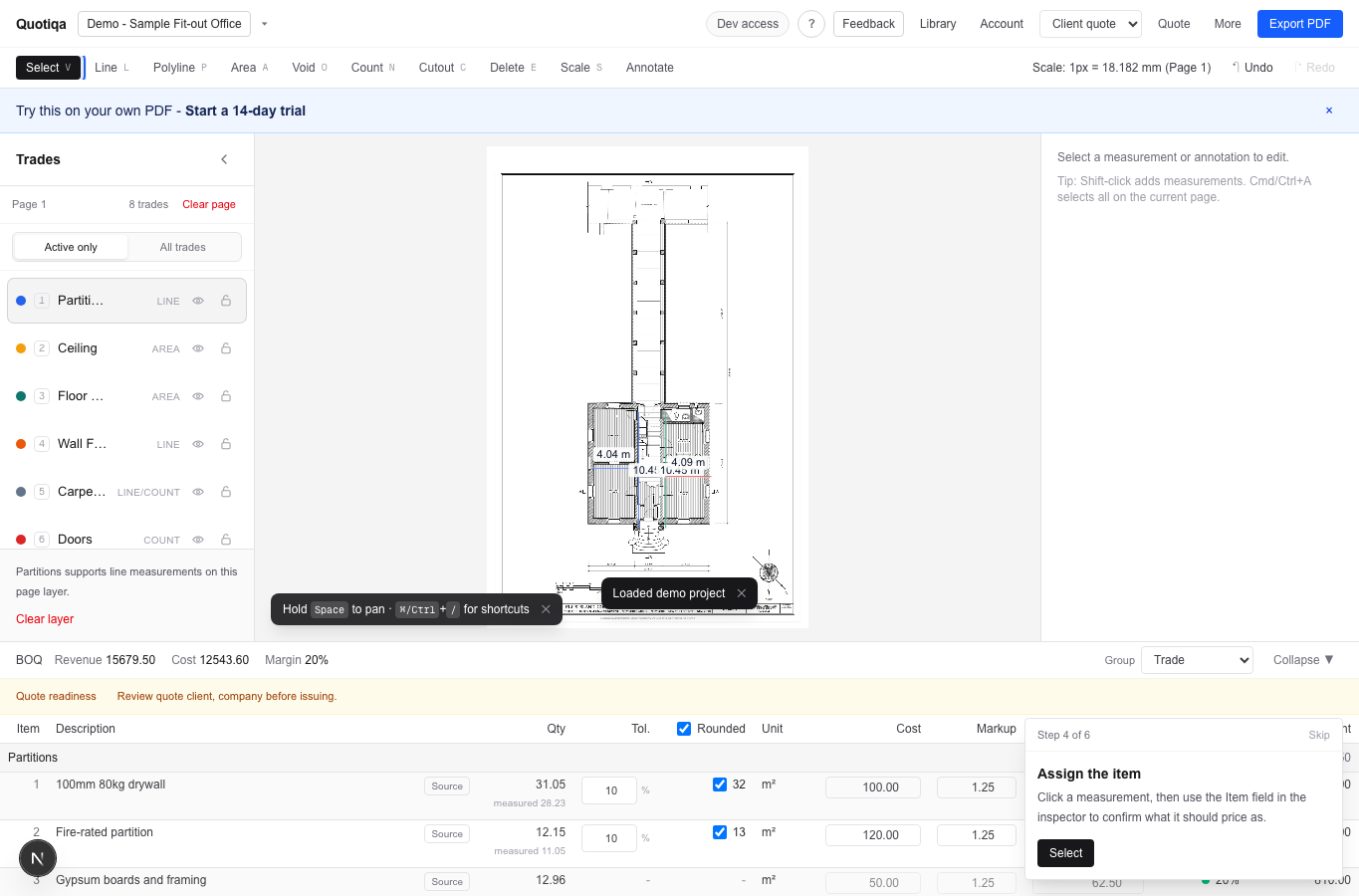
Quotiqa turns measured lines, areas, and counts into live BOQ rows so the quote schedule does not drift away from the source drawing.
Rows
live BOQ
Units
m, m2, nos, lot
Exports
PDF, CSV, XLSX
Plan-linked BOQ
Every BOQ row needs a visible measurement source.
When a quantity changes on the drawing, the estimator should not have to hunt through a spreadsheet to find the matching quote line.
Group measured scope by trade, page, layer, item, and unit.
Jump from quote rows back to source measurements in the workspace.
Keep readiness checks near export instead of after the quote is sent.
Pricing control
A BOQ is useful only when pricing is reviewable.
Quotiqa keeps sell rates, cost, markup, margin, and baseline deviations near the measured quantity.
Edit a group rate once and update the matching quote rows.
Flag zero-rate items before client export.
Use previous project pricing to make the next BOQ faster.
FAQs
Questions estimators ask before trying Quotiqa.
Is Quotiqa a general BOQ management system?
No. It is focused on PDF takeoff and quote-ready BOQ output for interior fit-out contractors.
Can I export BOQ rows to Excel?
Yes. Quotiqa supports spreadsheet exports as well as client quote PDFs and subcontractor package outputs.
Can BOQ rows include multiple trades?
Yes. The workspace supports common fit-out scopes such as partitions, ceilings, floor finishes, wall finishes, doors, carpentry, and furniture.
Next step