PDF to BOQ
From PDF plan to BOQ without the spreadsheet rebuild.
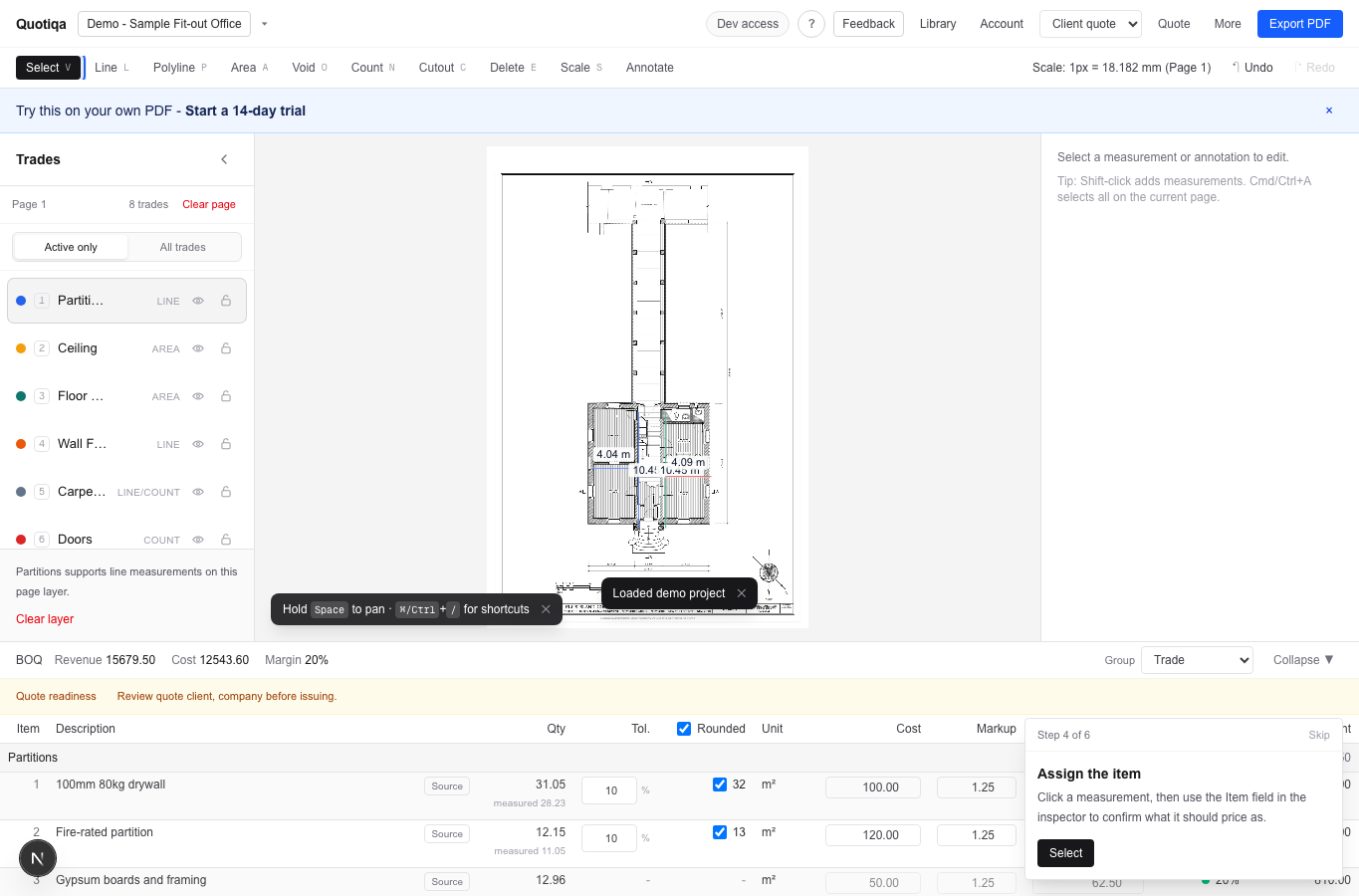
Quotiqa connects calibration, takeoff, item assignment, BOQ grouping, pricing, and export in one browser workspace.
Start
plan PDF
Middle
live BOQ
Finish
quote export
Workflow compression
The PDF markup and BOQ should not live in separate tools.
The common workflow is mark up the plan, copy quantities into Excel, then format a quote. Quotiqa removes that handoff.
Upload a PDF and calibrate scale per page.
Measure lines, areas, counts, and fit-out item groups.
Let measured scope create the BOQ rows automatically.
Export proof
BOQ rows become client and subcontractor outputs.
The same measured source can produce quote PDFs, detailed schedules, spreadsheets, and subcontractor packages.
Download a sample quote before signing up.
Review subcontractor package output with marked reference sheets.
Use quote readiness checks before issuing files.
FAQs
Questions estimators ask before trying Quotiqa.
Does Quotiqa read PDF drawings automatically?
No. The estimator measures manually for trust and control. Quotiqa connects those manual measurements to BOQ and quote output.
Can I use it with Bluebeam?
Yes. Quotiqa complements Bluebeam-style PDF workflows when the pain is turning marked plans into quote-ready BOQ rows.
Can a PDF to BOQ workflow stay local?
Yes. Project PDFs, measurements, pricing, and backups stay in browser storage unless you choose to export or share files.
Next step